
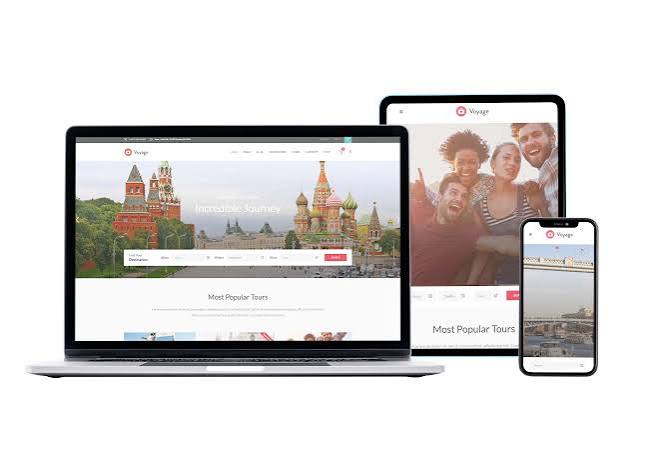
For a Florida small business, a website is often the first place a potential customer checks before booking a fishing charter, comparing home services, joining a local gym, or planning a weekend away. It needs to load quickly on a phone, explain what the business offers, and make the next step obvious. Building that kind of site does not always require a large team, but it does benefit from a clear plan.
Start with the people you want to reach
Before choosing colours or requesting a quote, identify the main audience and what they need to do. A family looking for a summer activity may want hours, prices, age limits, and directions. A local sports club may need schedules, registration details, and weather updates. A contractor could need service-area information, examples of past work, and a straightforward way to request an estimate.
Writing down the most common questions helps shape the site. It also prevents a common problem: pages filled with business history and broad claims, while practical details are difficult to find. Put the essentials near the top of each page, especially on mobile, where visitors may be checking information while travelling or making plans.
Choose a simple, useful structure
A small business site can often begin with a handful of focused pages: Home, Services or Activities, About, and Contact. Add pages only when they answer a distinct customer need. For example, a seasonal attraction might need a page covering opening dates and ticket options, while a sports organization could benefit from separate pages for teams, registration, and facilities.
Keep navigation labels familiar. Use readable type, strong contrast, and buttons with clear wording such as “Request a quote” or “View the schedule.” Test the site on different screen sizes before launch. A layout that looks polished on a desktop can become cramped on a phone, and small issues—such as an unclickable menu or a form that asks for too much—can cost real enquiries.
Plan for Florida’s seasons and conditions
Many Florida businesses experience sharp shifts in demand. Tourism, outdoor recreation, and event schedules can change with the season, so make it easy to update hours, availability, and announcements. Assign someone to check these details regularly rather than letting last year’s information remain online.
Local businesses should also think about reliability. Choose hosting and a maintenance arrangement that suit the importance of the site, keep software updated, and make backups. If severe weather affects opening hours or services, a visible notice on the home page can help customers avoid unnecessary trips. A website cannot replace direct communication in an emergency, but it can provide one dependable place for current information.
Set a realistic budget before hiring
Website costs depend on scope, design, content, integrations, and who does the work. A basic informational site is different from a booking platform, online shop, or custom member portal. Before asking for proposals, list the pages and functions you actually need, identify what content you can supply, and decide who will handle updates after launch.
For a useful pricing comparison, UK website project costs are discussed in Osdire’s guide to hourly, daily, and project rates. Its figures apply to the UK market, so they should not be treated as a Florida quote; local rates and project requirements can differ. The guide can still help business owners understand how developers may price work and why a detailed scope matters.
When comparing proposals, check what is included: design, development, mobile testing, basic search setup, training, and post-launch support may be priced separately. Ask how changes are handled and whether you will own the finished site and its content. A low initial figure can become less attractive if routine updates or essential features are outside the agreed scope.
Keep the site visible after launch
Publishing a website is the beginning of the work, not the end. Add useful information that reflects what customers ask about: preparation tips, local activity guides, seasonal updates, or explanations of how a service works. Helpful material gives visitors a reason to return and gives search engines more context about the business.
Some owners also contribute articles to relevant websites and blogs, reaching readers beyond their own channels. A directory of web development guest-posting sites can help developers and technology businesses identify publishers that accept articles. For any business, the key is relevance: choose an audience that would genuinely benefit from the expertise, and offer practical information rather than a sales pitch.
Use a short pre-launch checklist
- Check contact details: Confirm phone numbers, email addresses, hours, and service areas are current.
- Test the main action: Submit forms, try booking steps, and verify that confirmation messages arrive.
- Review mobile pages: Make sure text, menus, images, and buttons work comfortably on a small screen.
- Assign ownership: Decide who will update content, renew services, and respond to website enquiries.
- Measure useful outcomes: Track calls, bookings, sign-ups, or quote requests rather than focusing only on visitor totals.
Conclusion
A successful small-business website is clear, reliable, and built around what customers need to do. Start with a sensible page structure, budget according to the actual scope, and make a plan for updates and maintenance. Whether the site supports a Florida sports program, a visitor attraction, or a local service company, steady attention after launch is what keeps it useful.
