
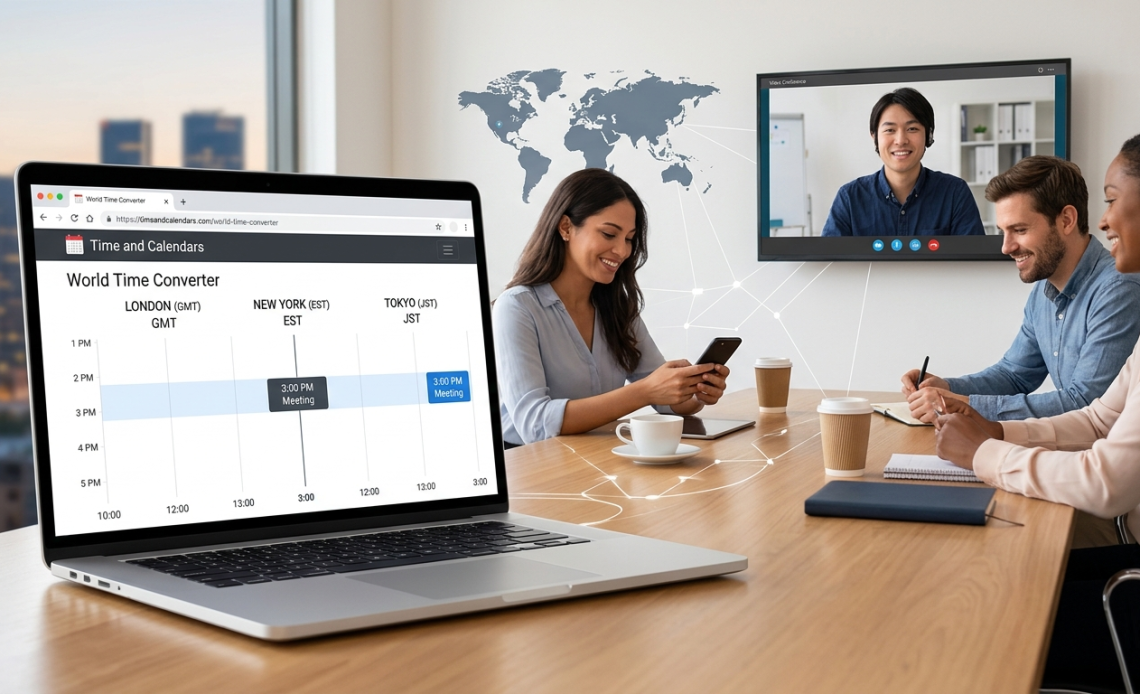
In our increasingly interconnected global economy, the traditional “9 to 5” has evolved into a 24-hour cycle of productivity. Today, a project manager in London might lead a team of developers in Bangalore, while reporting to stakeholders in San Francisco. While this global reach offers unparalleled opportunities for talent and market expansion, it introduces a logistical headache that has plagued professionals for decades: the timezone gap.
Trying to find a single hour where everyone is awake, alert, and available is often compared to a high-stakes game of Tetris. One wrong calculation and you’ve scheduled a “quick sync” for 3:00 AM in Sydney or during a public holiday in Dubai. This is where the World Time Converter becomes an indispensable part of your professional toolkit.
In this post, we’ll explore why timezone management is the “silent killer” of global productivity and how you can use the World Time Converter to streamline your international collaborations.
The Hidden Cost of Timezone Friction
Before diving into the “how,” let’s look at the “why.” Why does scheduling across borders feel so difficult?
1. The “Math Fatigue.”
Most people can easily calculate +/- one hour. But when you start dealing with Daylight Saving Time (DST) transitions—which occur on different dates in the US, Europe, and Australia—human error becomes inevitable. Relying on mental math for a meeting involving four different continents is a recipe for a missed connection.
2. Respect and Company Culture
Scheduling a meeting at 11:00 PM for a remote colleague might seem like a one-time necessity to you, but it sends a message about company culture. Consistently ignoring a teammate’s local time leads to burnout and a feeling of being “second-class” citizens within the organization.
3. The “Decision Paralysis.”
When you have five people in different zones, the back-and-forth email chain (“Does 4 PM UTC work?” “No, that’s my dinner time”) can take longer than the actual meeting.
Introducing the World Time Converter: Your Global Command Center
The World Time Converter isn’t just a digital clock; it’s a visual planning tool designed to eliminate the guesswork. Here is how it transforms the way you work.
Multi-City Comparison at a Glance
The most powerful feature of the tool is the ability to add multiple cities simultaneously. Instead of toggling between different tabs to see what time it is in Tokyo versus London, you can line them up side-by-side.
By seeing the “Overlap” in real-time, you can identify the “Golden Hours”—those rare windows where everyone is within their standard working day. For example, a morning meeting in New York often aligns perfectly with a late afternoon session in London and Paris.
No More Daylight Saving Confusion
One of the biggest pitfalls in international scheduling is the “Spring Forward, Fall Back” phenomenon. Countries don’t change their clocks on the same day, and many countries don’t use DST at all. The World Time Converter automatically accounts for these shifts based on the specific date you select, ensuring that your invitation for three weeks from now is just as accurate as one for today.
Step-by-Step: How to Schedule the Perfect International Meeting
Using the tool effectively requires a bit of strategy. Here is a workflow to ensure your next global call goes off without a hitch.
Step 1: Identify All Stakeholders
Before opening the tool, list every city represented in the meeting. Don’t just list the countries—specific cities matter because of localized time zones (like the multiple zones across the US, Canada, or Australia).
Step 2: Input Locations into the Converter
Navigate to the Time and Calendars website and begin adding your locations. As you add each city, a horizontal or vertical timeline will appear, showing how the hours correlate.
Step 3: Find the “Green Zone”
Look for the hours that fall between 9:00 AM and 5:00 PM for all participants.
- The Ideal Scenario: Everyone is in their working day.
- The Compromise: Someone starts an hour early (8:00 AM) while someone else finishes an hour late (6:00 PM).
- The Rotation: If no “Green Zone” exists (e.g., California to Singapore), use the tool to ensure the “pain” is shared. Schedule the meeting at a time convenient for Zone A this week, and Zone B next week.
Step 4: Account for the “After-Meeting” Work
Remember that a meeting ending at 5:00 PM for a developer means they won’t be able to act on any “urgent” tasks until the following morning. The World Time Converter helps you visualize the flow of work, not just the time of the talk.
Best Practices for Global Meeting Etiquette
Using a converter tool is the technical solution, but combining it with good etiquette makes you a world-class collaborator.
- Always include the Time Zone in the Invite: Even if the calendar app converts it automatically, putting “10:00 AM EST / 3:00 PM GMT” in the description prevents any “Wait, what time is it for me?” panic.
- Record the Session: For those who simply cannot make it due to extreme time differences, ensure the converter tool helps you identify when the recording will be available for them (i.e., their next morning).
- Check for Public Holidays: The World Time Converter is often paired with calendar tools that show national holidays. A Tuesday in the US might be a major festival in India or a bank holiday in the UK.
Why World Time Converter is the Professional Choice
There are many clocks on the internet, but the World Time Converter that Time and Calendars offers stands out for its clean interface and precision. It removes the clutter, allowing you to focus on the data that matters: finding a time that works.
In a world where “asynchronous work” is the new buzzword, the “synchronous” moments—the times we actually speak to one another—become even more valuable. Don’t waste those precious minutes apologizing for a scheduling mishap.
Conclusion: Master the Clock, Master the World
Scheduling across time zones is more than a logistical task; it is an act of empathy. It shows your partners, clients, and employees that you value their time and their work-life balance.
By using the World Time Converter, you move away from the chaos of “What time is it there?” and toward the clarity of “I’ll see you then.” Whether you are a freelancer reaching out to a new client across the ocean or a CEO coordinating a global empire, let technology do the math so you can focus on the mission.
Ready to plan your next global sync? Visit the World Time Converter today and find your perfect window of opportunity.
